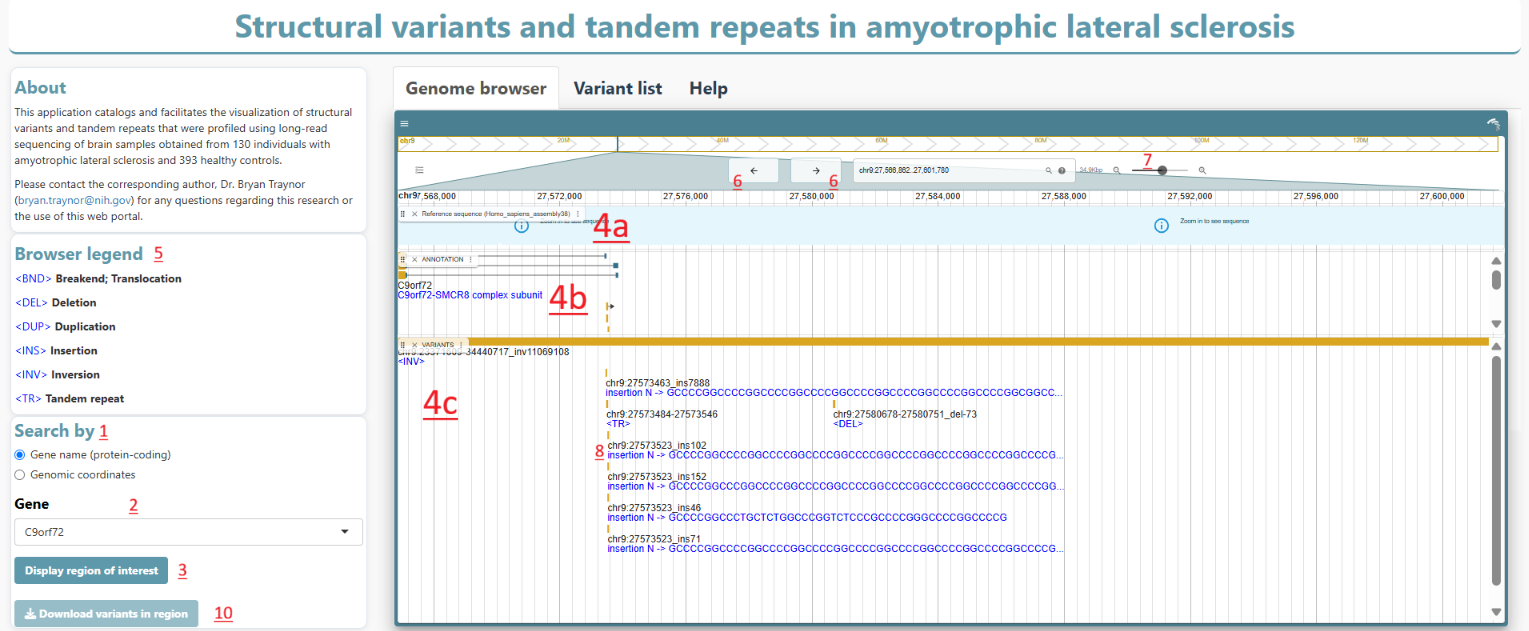
This web application has been designed to facilitate access and visualization of structural variants and tandem repeats which were profiled using long-read sequencing. For each query, the tool accepts as input a specific region of interest in the human genome and outputs (i) a visualization of variants in the region; and (ii) the list of variants in that region.
How to use the app features
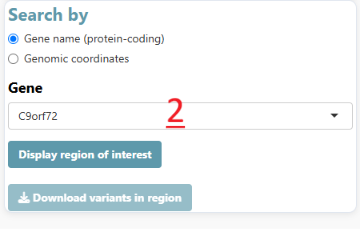
1. Select your region of interest by gene names or genomic coordinates
2. Enter a gene name or Chromosome/Start position/End position
3. Generate query output
4. Visualize features in your region of interest. The 'Genome browser' consists of 3 panels:
a) Reference sequence - hg38 reference nucelotide/amino acid sequence
b) ANNOTATION - tracks genes and transcripts
c) VARIANTS - structural variants and tandem repeats
5. See 'Browser legend' for types of variants
6. Shift visualization window left or right (for nearby features)
7. Zoom (or use pinching motion on trackpad)
8. Click to obtain more details about a variant, gene or transcript
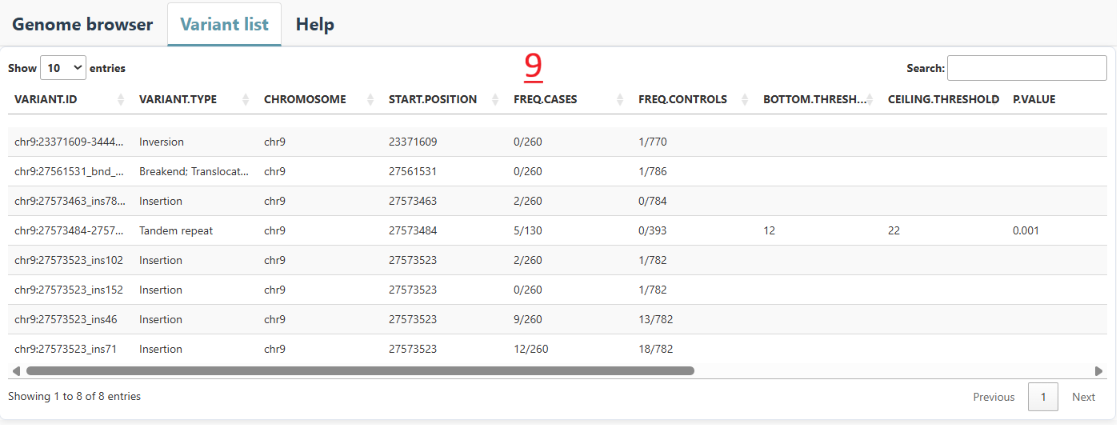
9. Obtain a list of all variants in the region of interest
10. Generate a file listing the variants